
Download Judy's TenKey – calculator, scientific calculator, math tool, productivity app, mobile calculator, advanced calculator
Overview
Judy's TenKey is a productivity-focused mobile application designed to streamline both everyday and complex mathematical calculations. As a modern calculator app, it targets users who require precision, speed, and flexibility in their computational workflows. The app is particularly suited for professionals, students, and anyone managing frequent numerical tasks across academic, financial, or technical domains. Its core purpose lies in enhancing accuracy and efficiency through intelligent automation and intuitive design.
The app is developed by Judy's Software, a company known for creating focused utility tools that prioritize user experience. Although specific company details were not provided, the app's consistent feature set and clear functionality suggest a targeted development approach. Real-world use cases include budgeting, engineering estimations, classroom problem-solving, and data entry workflows where iterative calculations are common. In the broader app ecosystem, Judy's TenKey fills a niche for advanced calculators that go beyond basic arithmetic, offering features typically found in desktop or specialized software—now accessible on mobile devices.
By integrating real-time feedback and error resilience, the app addresses common pain points in mobile calculation tools: manual re-entry of data, loss of progress after errors, and inefficient workflows. The developer did not provide additional technical details, but the app’s feature set indicates a strong focus on usability and reliability.
Key Features & Functionality
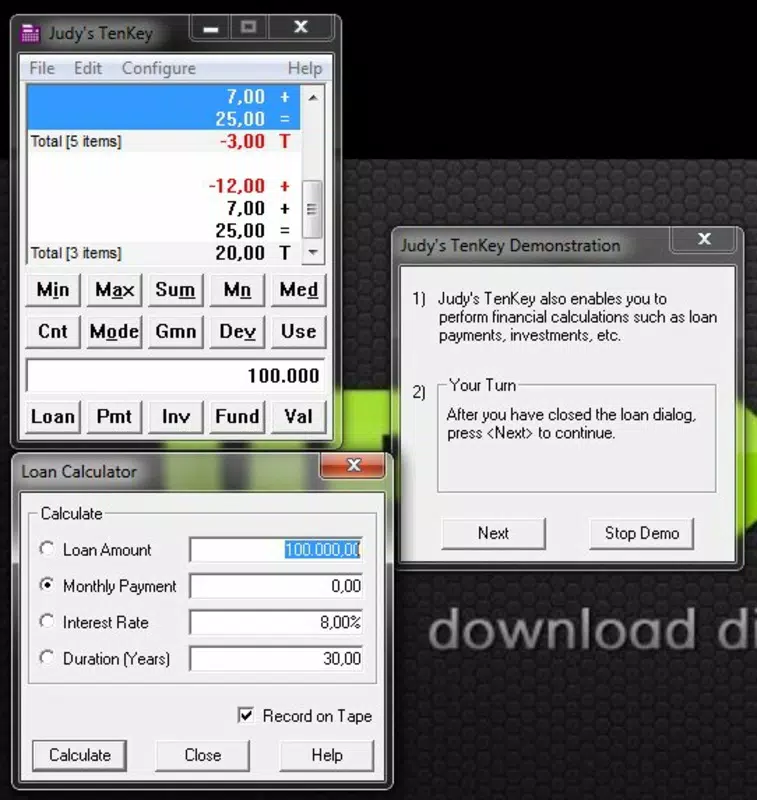
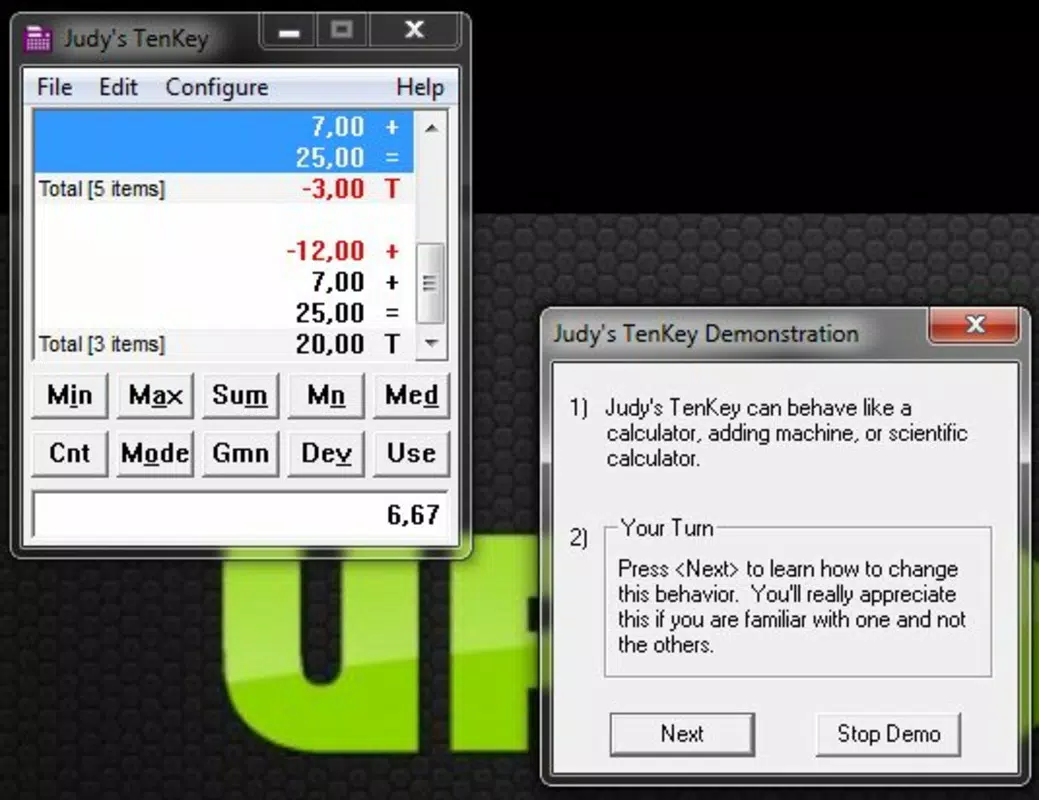
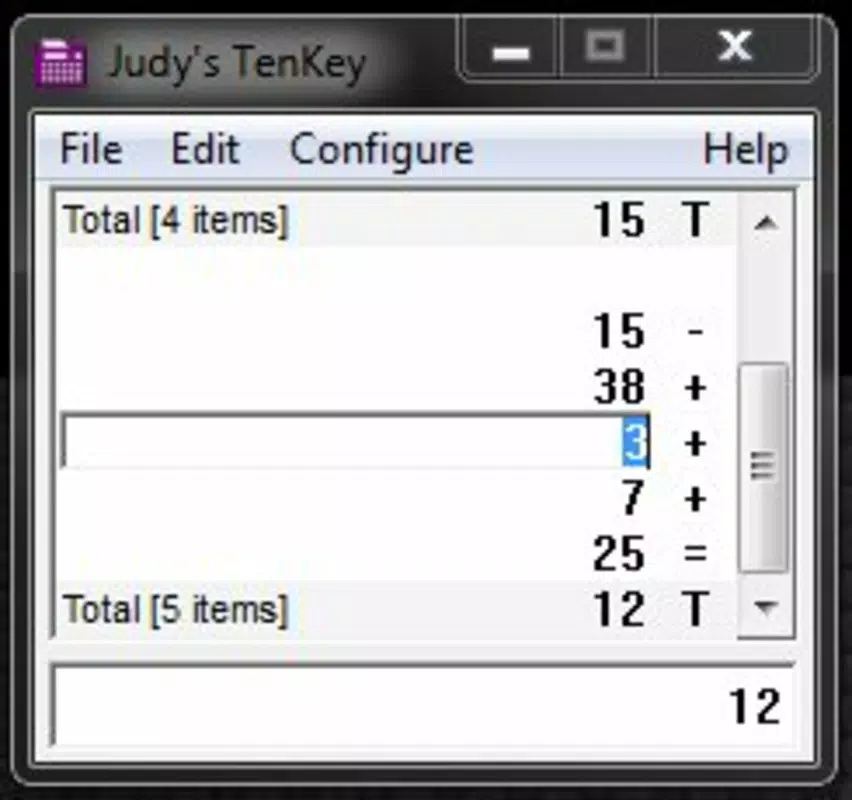
Judy's TenKey distinguishes itself through a suite of intelligent, user-centric features designed to improve the calculation experience. The most notable is the auto-recalculation strip, a vertical interface element that dynamically updates totals in real time whenever a value is modified. This eliminates the need for manual re-entry and reduces the risk of human error during iterative calculations—ideal for tasks like adjusting budget figures or recalculating compound interest.
Another standout feature is the multi-level undo function, which allows users to backtrack through multiple steps without losing prior work. This is especially beneficial during long sequences of operations, where a single mistake could otherwise require starting over. The app also includes error correction tools that enable seamless fixes, ensuring continuity and confidence in complex workflows.
Users can customize the toolbar to place frequently used functions within easy reach, streamlining access and reducing navigation time. This personalization supports diverse user preferences, from students needing basic functions to professionals requiring scientific operations. Additionally, the intelligent copy and paste functionality simplifies data transfer between the app and other tools, enhancing integration within broader digital workflows.
These features collectively serve real-world scenarios such as financial modeling, engineering computations, and classroom assignments, where accuracy and efficiency are critical. The app’s design reflects a deep understanding of user behavior in high-stakes calculation environments.
Interface, UX & Performance
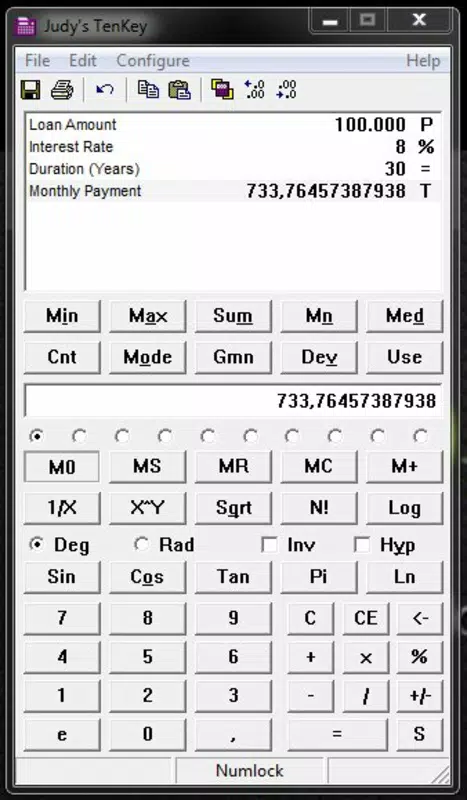
The user interface of Judy's TenKey follows a clean, vertical layout centered around its auto-recalculating strip. The visual style emphasizes clarity and functionality, with a minimalist design that avoids clutter while maintaining accessibility. Navigation is intuitive, relying on direct interaction with the strip and clearly labeled buttons, allowing users to perform tasks with minimal cognitive load.
Interaction flow is smooth and responsive, supporting quick input and immediate feedback. The app maintains consistent responsiveness across different device categories, though specific performance metrics were not disclosed. Although the developer did not list formal performance metrics, the app’s lightweight size of 2.7M suggests optimized resource usage, which likely contributes to stable operation on a range of Android devices.
Stability appears to be a priority, given the app’s robust error handling and undo capabilities. Users can expect minimal crashes or freezes during typical use. The interface adapts well to screen sizes, ensuring legibility and usability on both smartphones and tablets. However, compatibility information was not fully disclosed, so users should verify device readiness before installation.
Platform Compatibility & Technical Requirements
Judy's TenKey is available exclusively on the Android platform. The current version is 1.2.2, with a file size of 2.7M, indicating a lightweight and efficient application. This small footprint suggests the app is optimized for low-storage environments and fast installation.
The developer did not specify minimum OS requirements or device compatibility details. As such, users are advised to ensure their device meets standard Android functionality standards. The app’s free pricing model makes it accessible to a broad audience, with no upfront cost for download or use.
While the app’s release date was September 6, 2022, updates beyond this version have not been detailed. Users should check the official source for the latest version and potential improvements.
Pros and Cons
- Real-time auto-recalculation reduces manual effort and enhances accuracy
- Multi-level undo preserves workflow integrity during complex calculations
- Customizable toolbar improves accessibility of frequently used functions
- Intelligent copy and paste streamlines data handling across apps
- Lightweight size (2.7M) ensures fast installation and minimal storage use
- Developer did not provide detailed OS or device compatibility information
- No public information on update frequency or long-term maintenance
- Platform availability limited to Android only
- Specific performance benchmarks were not disclosed
- Visual design may appear minimal to users expecting advanced graphical elements
FAQ
Is Judy's TenKey free to download and use?
Yes, Judy's TenKey is available at no cost. The app is free to download and use without in-app purchases or subscription fees.
Can I use Judy's TenKey on iOS devices?
Currently, the app is only available on Android. There is no official iOS version listed by the developer.
How does the auto-recalculation strip work?
The vertical strip automatically updates totals whenever a value is changed. This allows real-time feedback during iterative calculations, reducing the need for manual re-entry.
Is my data safe when using Judy's TenKey?
The app does not store user data beyond the current session. No personal or sensitive information is collected or transmitted, ensuring privacy during use.
How often is Judy's TenKey updated?
The last update was released on September 6, 2022. The developer has not provided information on future update schedules.
Final Thoughts
Judy's TenKey stands out as a refined productivity tool for users who demand more than basic calculator functionality. Its intelligent features—especially the auto-recalculation strip and multi-level undo—deliver tangible benefits in accuracy and workflow efficiency. The app is ideal for students, professionals, and anyone engaged in frequent or complex calculations.
Despite limited platform availability and lack of detailed compatibility information, the app’s lightweight design and free access make it a compelling choice. It successfully bridges the gap between mobile convenience and desktop-level functionality.
For users seeking a reliable, customizable, and precise math tool on Android, Judy's TenKey offers a strong value proposition. Download Judy's TenKey now.


